


✔ Shipped from Polish warehouse - fast delivery, no customs clearance issues within the EU
KingSener GJKNX Laptop Battery for Dell Latitude Series – 7.6V 68Wh
The KingSener GJKNX is a high-quality replacement battery designed for various Dell Latitude laptops. With reliable Li-ion cells and a 68Wh capacity, it provides long-lasting performance for daily work and travel.
Specifications:
-
Battery Model: GJKNX
-
Voltage: 7.6V
-
Capacity: 68Wh / 8800mAh
-
Battery Type: Li-ion, 4-cell
-
Condition: Brand New, A-grade cells
Compatible Laptop Models:
-
Dell Latitude 5480
-
Dell Latitude 5580
-
Dell Latitude 5591
-
Dell Latitude 5490 / 5590 / Precision 3520
(Check your original battery model for confirmation.)
Key Features:
-
100% OEM-compatible and plug-and-play
-
Built-in circuit protection against overcharge, overheating, and short-circuit
-
Certified safe and reliable (CE/FCC/RoHS)
Package Includes:
-
1× Replacement GJKNX Battery
-
1× User Manual (or Tool Kit if applicable)
Note:
For best results, fully charge and discharge the battery 2–3 times after installation. Confirm compatibility via battery model or laptop serial number.
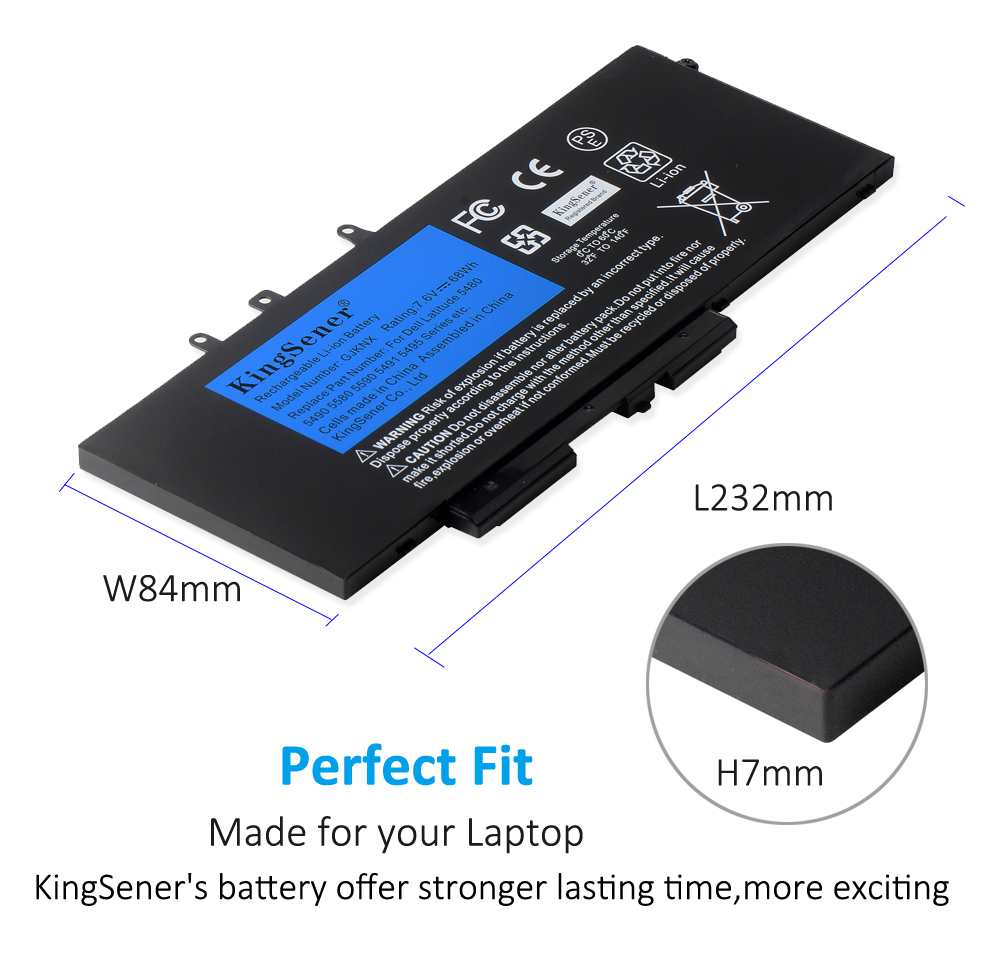
Perfect Fit
Made for your Laptop
KingSener's battery offer stronger lasting time,more exciting.
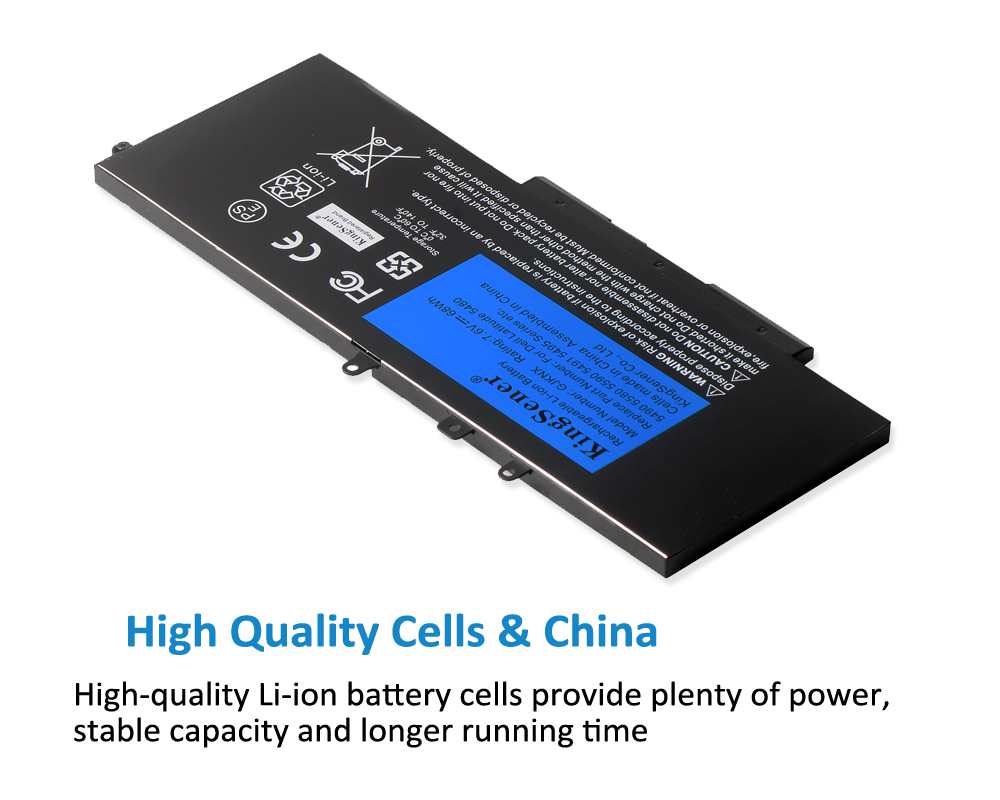
High Quality Cells & China
High-quality Li-ion battery cells provide plenty of power,stable capacity and longer running time.
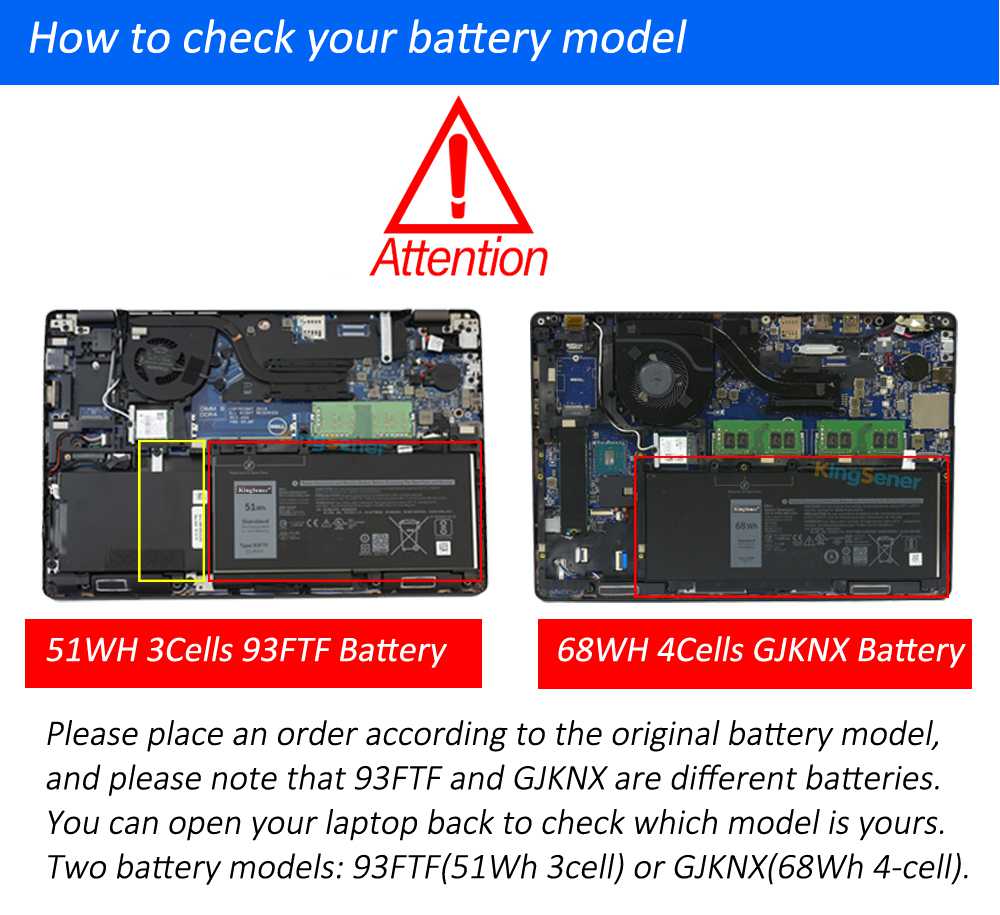
Please place an order according to the original battery model,and please note that 93FTF and GJKNX are different batteries.
You can open your laptop back to check which model is yours.Two type battery models: 93FTF is 51Wh 3cells, GJKNX is 68Wh 4 cells.
Note:
This is not a complete list or inclusion of all compatible laptop models. You can open the back of your laptop to check the original battery model. If you have any compatibility questions, please contact us online.The casing is made of durable materials, the mainboard adopts advanced technology, and the battery core is produced with high-quality raw materials to ensure that it will not be damaged after long-term use.
Our products are equipped with multiple protection technologies such as overvoltage, overcurrent, and overcharge to effectively protect the safety of batteries and equipment.
China warehouse delivery method
Overseas Warehouse Shipping Times & Costs
Payment Methods
Paypal

Payments by PayPal, no PayPal account required. Paypal is safe and free for buyers.
PayPal account: Payment@batterymall.com
Account Name: ShenZhen KingSener Science and Technology Co., Ltd
Credit or debit card

VISA, MasterCard, the United States n Express,Maestro & Laser Card, APPLE Pay,etc.
PayPal never shares your financial information with us.
WeChat Pay

Currently only supports QR code payment. Please contact WeChat customer service and go to WeChat App to scan the QR code to complete the payment.
Google Pay
Pay with Google Pay, which is more convenient and faster.
Apple Pay
If you use an Apple device, you can use Apple Pay to pay, which is more convenient and faster.
Bank Transfer
Q&A
Quick FAQ:Laptop Battery Care & Troubleshooting
- What Should I Know Before Buying a Laptop Battery Replacement?A: Before buying a laptop battery replacement, confirm your laptop’s exact model number and the part number printed on the original battery. Check the battery voltage, connector, physical dimensions, and compatibility list. Do not choose a battery based on appearance alone, because similar laptop models may use different batteries. Review the seller’s warranty, return policy, and product specifications before ordering.
- How Do I Find a Compatible Laptop Battery for My Device?A: To find a compatible laptop battery, identify your laptop’s full model number and the part number on the original battery. Compare these details with the replacement battery’s compatibility list and specifications, including voltage, connector type, and dimensions. If you are unsure, contact customer support with your laptop model and original battery part number before placing an order.
- Can I leave my laptop plugged in 24/7?Yes, the built-in TI chip prevents overcharging. Tip: To prevent long-term cell swelling, unplug and drain the battery to 40% twice a month.
- Why Is My Laptop Battery Not Charging?A: A laptop battery may not charge because of a faulty AC adapter, damaged charging port, loose connection, temperature protection, battery-health settings, or a worn-out battery. Confirm that you are using a compatible charger and inspect the cable and port for visible damage. Restart the laptop and review the manufacturer’s battery or charging settings. If the battery becomes unusually hot, swollen, or damaged, stop using it and seek professional assistance.
-
Are BatteryMall Laptop Batteries Reliable?BatteryMall laptop batteries are designed with safety and reliability in mind. All batteries feature built-in IC protection against short-circuits, over-voltage, and overheating, helping protect the battery during normal use. They are also CE, FCC, and RoHS certified. For the best experience, choose a compatible laptop battery that matches your exact laptop model and original battery part number, and follow the installation and care instructions. BatteryMall also provides a 1-year warranty on KingSener batteries purchased from BatteryMall; see the Product Warranty page for details.