
Laptop batteries usually need to be replaced every 3–4 years, and damaged batteries will affect the efficiency of our work. At batterymall, you can not only buy a variety of MacBook batteries, but also find detailed guides, steps, and videos for replacing battery on MacBook.
https://www.batterymall.com/collections/for-apple
Please click the link to buy now
MacBook Pro Battery Replacement – Step-by-Step Instructions
Step 1: Shut down the computer and disconnect the power cord;
Step 2: We use a Phillips screwdriver to unscrew the 10 screws on the back.
Step 3: Take off the back cover of the notebook, and then you can see the internal structure of the computer
Step 4: Unplug the battery connector
Step 5: Locate the screw on the battery and loosen the power screw
In this step, you can use a dry and soft brush to clean the inside of the computer by the way, and pay attention to the light action.
Step 6: Slowly remove the battery.
Step 7: Replace the new battery and screw on the 5 screws that secure the battery

Batteria KingSener da 99,5 Whr A1618 per Apple MacBook Pro 15 pollici Retina A1398 anno 2015 020-00079 MJLQ2LL/A MJLT2LL/A
How to Verify a Successful MacBook Pro Battery Replacement
Step 1: Turn the computer over, press the power button, and try whether it can be turned on normally. If it can be turned on, the replacement is successful. If there is a prompt that the battery is too low, don't worry, it may just be that the new battery is dead;
Step 2: Cover the back cover, screw up the screws, connect the power cord, the computer is turned on normally, and then check the battery information, the capacity and status are normal, and the battery replacement is successful.
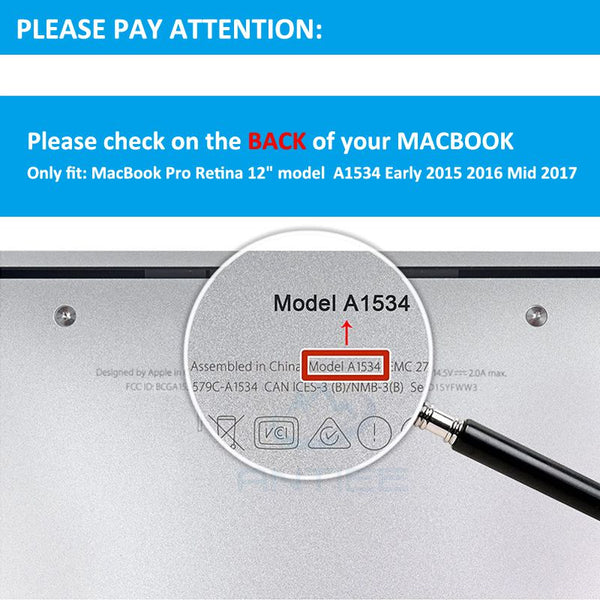
How to Find Your MACBOOK Model
When purchasing a third-party battery, pay attention to confirm whether the computer model and the battery match. You can check the computer model at the bottom of the computer. In addition, purchasing Apple laptop batteries at batterymall also comes with a disassembly kit.

0 commenti