

How to keep your MacBook Pro battery healthy?
In today's fast-paced life, laptops have become an important part of our daily work. If you're a MacBook Pro user, you probably know how important it is to keep your device's battery in good health. Since the battery is the lifeblood of a laptop, we probably wouldn't be able to use the device without it. So, there are a few things we can do to m...
Read more...
How To Store laptop batteries in Cold Weather?
As the cold season arrives, storing your laptop battery properly becomes especially important. Extremely low temperatures can affect battery performance and even shorten its lifespan. Therefore, learning the right battery storage methods not only helps extend your battery’s life but also ensures your laptop operates normally during cold weather....
Read more...
18650 Battery VS 14500 Battery
In the portable electronics market, common battery types are 18650 batteries and 14500 batteries. Both battery types serve specific purposes, so be careful not to confuse them. Choosing the right battery for your device is critical to preventing damage to your device and ensuring its durability. Next, this article will introduce and compare 1865...
Read more...
How to Use a Laptop Battery Correctly: Tips to Extend Battery Lifespan
How should you use your laptop battery properly? Actually, there’s no single answer—it depends on how you use your laptop.Generally, there are three typical usage scenarios: 1. Mostly Plugged In (e.g., Gaming Laptops, Workstations) If you keep your laptop plugged in most of the time, it’s best to set a battery charge threshold. If your system d...
Read more...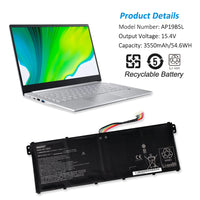
How to check Windows 11 battery consumption and health?
Please note the battery wear information or your battery health level? For friends coming to Windows 11, there is actually no need for a three-way tool kit, and the system has a battery health check function, just an entrance. How to do it? powercfg /batteryreport /output "C:\battery_report.html" 1. start-search cmd, right key to manager mode op...
Read more...
How to repair a short circuit in a laptop?
A short circuit in a laptop is one of the most common hardware failures, which can cause the device to not turn on, shut down suddenly, or drain the battery quickly. This article will take a closer look at this common but complex issue and assess how likely and difficult it is to repair. The principle of short circuit in a laptop computer In the...
Read more...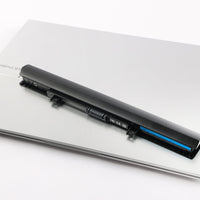
How to Safely Reset My Laptop Battery
How to Reset My Laptop Battery? As your laptop ages, you may notice that its battery performance gradually declines. Common issues include inaccurate battery readings, faster power drain after a full charge, or sudden shutdowns, even when the system shows remaining battery life. Before rushing to replace your battery, consider a useful method yo...
Read more...
What should I do if my laptop fan is noisy?
"Buzz, buzz..." Every time I open my laptop in a quiet library or cafe, this sound makes me want to close the computer and run away! Everyone's eyes are looking at me as if I brought a strange machine. Friends, if you are also troubled by this trouble, don't worry. Today, we will completely solve this annoying problem. If you encounter this prob...
Read more...
How to reset laptop battery?
Can a Laptop Battery Be Restored? The most obvious solution to battery issues is to buy a new laptop battery. However, in some cases, you can try a battery reset (also known as battery calibration or battery restoration). This process helps the system recognize the battery’s actual state more accurately. Keep in mind that a reset is only a softw...
Read more...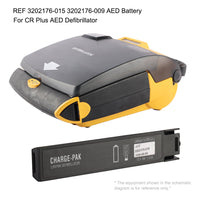
LIFEPAK CR / CR Plus / EXPRESS Battery Maintenance Essentials
Excerpts from Physio-Control *LIFEPAK CR Plus and LIFEPAK EXPRESS Defibrillator Operating Instructions* Doc. 3201686-015 (Rev. 07/2014) | Chapter 5 Caring for Your Defibrillator (5-1 ~ 5-9), Appendix A Specifications (A-2 ~ A-4) Applies to the LIFEPAK CR family (original CR, CR Plus and EXPRESS share the same SafeGuard power system) 一. Power Sy...
Read more...
How to find MacBook Pro battery model number?
There are three primary methods to determine your MacBook Pro's battery model number: through macOS system tools, physical labels, or third-party software. Below are the detailed steps for each method. How to Find Your MacBook Pro Battery Model 1. Check Battery Model via System Information The quickest way to identify your MacBook Pro battery m...
Read more...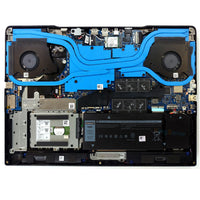
How to check laptop fan is working properly?
Under normal use, the laptop fan expels air and makes a soft to moderate sound. If your laptop's fan is muted, the air near the vents is calm, and the laptop is very hot, the fan may not be working. Laptop cooling fans play a vital role in the longevity and functionality of a laptop, and an overheated system doesn't work very well, even if it...
Read more...